What is an Entra external authentication method?
Microsoft describes external MFA, previously known as external authentication methods, as a way to “choose an external provider to meet MFA requirements” when people sign in with a work or school account. Entra ID still evaluates every policy and makes the access decision; the provider only performs the second factor.
It is built on OpenID Connect. After the password, Conditional Access decides MFA is needed, the user picks the external method, and Entra sends the browser to the provider. The provider checks the user its own way, then posts a signed token back, and Entra validates it before the sign-in continues.
Microsoft Learn now describes external MFA as generally available. It replaces Conditional Access custom controls, which are deprecated: Microsoft says new and edited custom controls are not allowed from September 2026, with full retirement scheduled for early 2027.
Entra ID external MFA prerequisites: licence, roles and provider values
Check these before you open the admin center.
- Licence: Microsoft lists Microsoft Entra ID P1 or P2 as a prerequisite. Conditional Access requires P1 licences, and Microsoft 365 Business Premium customers can also use Conditional Access.
- To add the method: at least the Authentication Policy Administrator role.
- To grant admin consent to the provider’s application: the Privileged Role Administrator role. Without it you can save the method, but you cannot enable it until consent is granted.
- To require it: a Conditional Access Administrator creates the policy.
- From your provider: an App ID (usually its multitenant application), a Client ID, and a Discovery Endpoint ending in /.well-known/openid-configuration.
- A small test group, and your emergency (break-glass) accounts, which you will keep out of the policy.
Add the external MFA method in the Entra admin center
These are Microsoft’s steps. Menu labels move between versions of the admin center: some Microsoft pages show the same form under Protection, Authentication methods, Policies.
- Sign in to the Microsoft Entra admin center as at least an Authentication Policy Administrator.
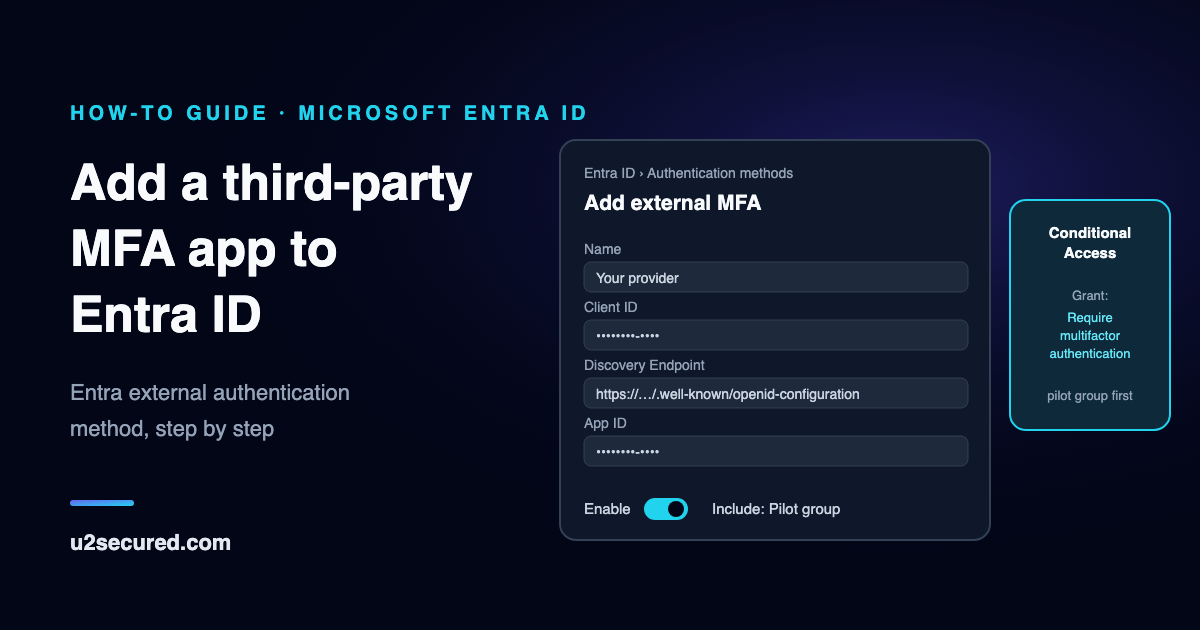
- Browse to Entra ID, then Authentication methods, and choose Add external MFA.
- Enter the Name your users will see in the method picker. Pick it carefully: Microsoft says it cannot be changed later and must be unique.
- Paste the Client ID, Discovery Endpoint and App ID from your provider.
- Request admin consent, sign in with an admin account and choose Accept. The form then shows that consent was granted.
- Switch Enable on, include your test group rather than All users, and Save.
Conditional Access MFA: require the method with a policy
The method is offered only when a policy asks for multifactor authentication. Microsoft’s migration guide builds the policy like this:
- Create a new policy. Under Users, include the test group and exclude your emergency accounts.
- Under Target resources, pick the apps to protect, such as Office 365.
- Under Grant, choose Grant access and tick Require multifactor authentication.
- Start in Report-only, check a test user’s sign-in log, then switch the policy On.
Do not choose Require authentication strength. Microsoft says external MFA is not yet compatible with authentication strengths, including the built-in MFA strength, so a policy that requires one will never accept the external method.
How users register the external method
Users in scope register the method once. They can do it in Security info, with Add sign-in method, then External Auth methods, then Next, and the provider’s challenge; or Microsoft’s registration wizard offers it at sign-in, sometimes behind “I want to set up a different method”. An admin can also register it for them under Users, the user, Authentication methods, Add authentication method, External authentication method.
People who already have other methods keep them. With system-preferred authentication on, Microsoft offers those first, and the user can choose the external method instead.
Rollout tips: pilot group, emergency accounts and Temporary Access Pass
Microsoft’s own rollout plan starts with a test group of 5 to 10 people, then IT and early adopters, then department by department, and only then everyone. Widen the method’s target group and the policy’s user group together.
- Keep at least one emergency account excluded from the policy for the whole rollout.
- A new policy can take up to a few hours to apply, Microsoft says, so do not judge a change in its first few minutes.
- For new staff with no method yet, a Temporary Access Pass lets them sign in once to register. Make it one-time use with a short lifetime.
- Delete the pass once they have registered, under the user’s Authentication methods. In our own testing, while a user had an active pass, Microsoft accepted it as MFA and never sent them to the external provider.
- If your provider has its own setup page, protect it with a Conditional Access policy too, so registering a phone takes more than a password.
Troubleshooting Entra external MFA: “Verification failed” and other errors
The problems most likely in the first week, and what to do about each.
- “Verification failed. Try again in a few minutes” right after you add or change the method: in our testing this came from Microsoft before the user ever reached the provider, and cleared within a few hours. Wait and retry, and do not delete and re-create the method, which starts the wait again.
- The method is not offered: check it is enabled, and that the user is in its include targets and in the policy.
- “AADSTS900491: Service principal … not found”: admin consent for the provider’s application was never granted in this tenant.
- MFA is not recognised in the sign-in logs: the policy uses an authentication strength instead of Require multifactor authentication.
- A Windows 10 device setup fails for an account whose only method is external MFA: Microsoft says Windows 10 does not support external MFA during device setup, and to use Windows 11.
Third-party MFA for Microsoft 365 with U2 Secured
U2 Secured is one such provider. The developer portal connects your tenant and gives you the three values; your users link the U2 Secured Authenticator once through a setup page, then approve each Microsoft 365 sign-in by matching a number on their phone. With no signal, they type a six-digit code from the same app instead.
There is a free plan, with 1,000 active users and 100 push approvals a month, which is enough for a pilot group, and Growth is $99 a month however many people you have, up to 25,000. It covers Entra ID in the global Microsoft cloud. It does not protect Windows sign-in on Entra-joined PCs, and on-premises Active Directory is not supported.